Do you want to browse Instagram without your friends, colleagues, or exes stumbling upon your profile? The platform does not offer any native anonymous mode. Every story view, every like remains linked to your account. To navigate discreetly, you must therefore build this invisibility yourself, step by step.
Instagram Account Suggestions: Why Your Contacts Find You
Before creating anything, you need to understand how Instagram identifies you. The platform does not simply read your address book. It cross-references several signals to guess who you know.
The correlation mechanisms used by Meta combine contact synchronization, location data, overlapping Wi-Fi networks, interaction history, and data from the advertising ecosystem. The result: Instagram can infer your relationships even without access to the address book.
This is why a simple account created with a different email address is not enough. If you log in from the same phone, on the same Wi-Fi network, Meta makes the connection within a few hours. Account suggestions then appear among your contacts.
The workaround is simple to state, but more demanding to apply: completely isolate the new account from your usual digital identity. This brings us to the practical guide that follows. To create an incognito and private Instagram account that holds up, every configuration detail matters.
Creating an Anonymous Instagram Account: Step by Step Method
The principle is to cut all the ties that connect this new profile to your real life. Here are the concrete steps.
A Dedicated Email Address, Without Your Name
Create an address on a free service (ProtonMail, Tutanota, or a simple Gmail) that contains neither your first name nor your last name. Never use your main address: Instagram cross-references it with the address books of your contacts.
No Linked Phone Number
Instagram offers to add a number to “secure” the account. Refuse at this stage. Your number is the strongest signal for account suggestions. If the platform insists, you can always add it later with a secondary number.
A Neutral Username and Bio
Choose a username that does not resemble your initials, your birth date, or a nickname known to your circle. The bio can remain empty. The fewer textual clues you provide, the less identifiable the profile is.
Disable Contact Synchronization
As soon as the account is created, go to Settings, then to the Meta Accounts Center. Ensure that contact synchronization is disabled. This is the most decisive setting for remaining invisible in suggestions.
Instagram Privacy Settings: Locking the Profile
The account exists, but it remains public by default. To make it private, the path is quick: Settings → Account Privacy → enable “Private Account”.
This switch changes several things at once:
- Your posts, reels, and stories are only visible to the followers you manually accept.
- Your profile no longer appears in Google search results (after a few days of de-indexing).
- Follow requests become a filter: no one sees your content without your explicit consent.
Be careful about a point often forgotten: making your account private protects visibility between users, but does not limit data collection by Meta. Instagram continues to analyze your interactions, location, and browsing habits for its advertising system. The private mode is a social wall, not a technical shield.
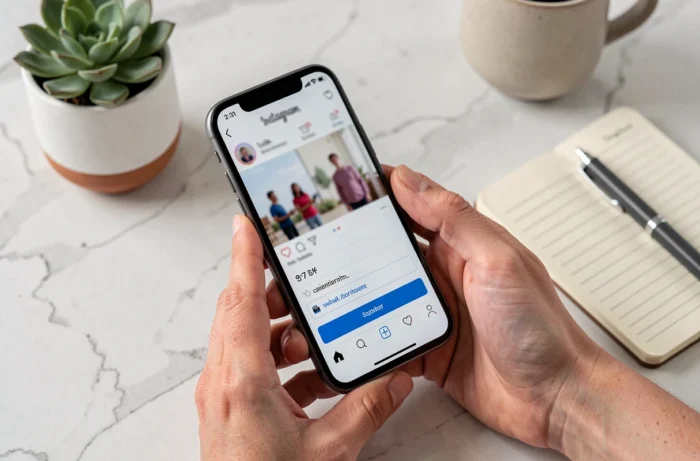
Limiting Meta Tracking from the Accounts Center
Have you ever noticed ads related to a site you just visited, without ever having searched for it on Instagram? This is the result of activity shared by third-party apps and sites to Meta.
To limit this tracking, Meta offers a pathway accessible from the app: Instagram → Settings → Accounts Center → “Your Information and Permissions” → “Your Activity Off Meta Technologies”. From this screen, you can see which apps and sites are transmitting data to Meta, and then disconnect them one by one.
This setting does not make your account invisible, but it reduces the amount of signals that Meta uses to profile you and potentially suggest your account to third parties. On an incognito profile, it’s an additional layer of protection not to be overlooked.
Common Mistakes That Expose an Incognito Instagram Account
Even with the right settings, certain behaviors can reveal your identity in just a few days. Here are the most common traps:
- Liking or commenting from your main account on a post published by your anonymous account (the link is immediate in the algorithm).
- Logging into both accounts from the same app using Instagram’s “multi-account” feature, which shares data between profiles.
- Posting photos containing location metadata identical to that of your main account.
- Accepting followers without checking who they are: a single real contact in your list is enough to feed suggestions to others.
The most protective reflex is to treat this account as a completely separate space. No cross-browsing, no connecting to the same Wi-Fi network used for your usual profile if you want maximum discretion.
A private and anonymous Instagram account is not just about a fanciful username. It is a combination of technical settings, email address choices, and daily discipline in usage. The tools exist within the app; you just need to activate them all from the moment you create the profile.