
A client is looking to book an appointment with their osteopath. They come across a phone number, call three times without an answer, and then give up. This scenario costs thousands of professionals appointments every week. Online booking solves the availability issue, but not all booking journeys are created equal. Some create as much friction as a missed call.
Digital Accessibility of the Booking Module: A Legal Obligation Ignored
Most guides on online appointment booking discuss features, design, or automatic reminders. Very few mention digital accessibility, even though it has become a concrete regulatory issue.
Since June 28, 2025, the European Accessibility Act applies in France. Websites offering transactional services (booking, appointment scheduling, client area) must comply with the RGAA 4.1, which imposes 106 control criteria spread across 13 themes: forms, contrasts, keyboard navigation, compatibility with screen readers.
The penalties are not symbolic. Fines can reach 50,000 euros per non-compliant service under the RGAA, and up to 300,000 euros under the European Accessibility Act. A daily penalty of 3,000 euros may also apply.
Micro-enterprises with fewer than 10 employees and less than 2 million euros in revenue benefit from an exemption. For all other structures, the online booking module falls within the scope. Specifically, a “Book” button that does not work with a keyboard or a form that is unreadable by a screen reader exposes the business to legal action.
For professionals wishing to check the compliance of their scheduling system, it is possible to discover the RDV Pro site and compare the solutions available on the market.
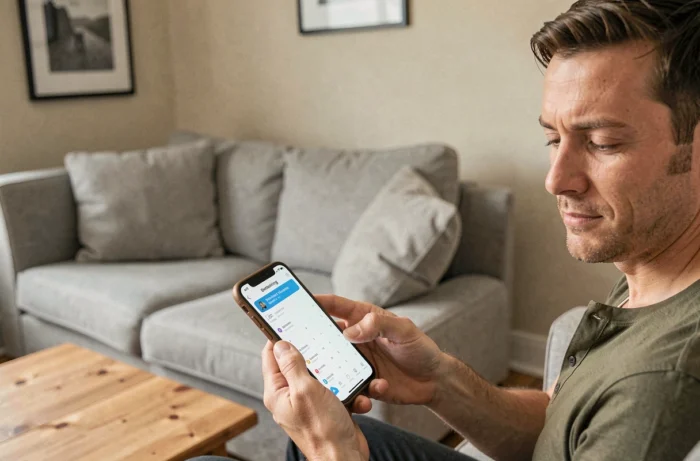
Online Booking Journey: Reduce Steps to Reduce Abandonment
Have you ever noticed that a long form makes you want to close the tab? This is exactly what happens with many booking systems. Each additional field increases the risk of abandonment.
Separate Appointment Booking from Information Collection
Many professionals instinctively ask for all the information on the first screen: first name, last name, phone, email, detailed reason, sometimes even a file number. This approach drives away hurried clients.
The appointment can be made with two pieces of information: a time slot and a means of contact. Everything else can be collected after confirmation, via email or through a secondary form. This two-step logic significantly reduces friction in the journey.
- First screen: choose the available time slot and enter the email or phone number. Nothing else.
- Confirmation email: link to a supplementary form for the reason, documents to provide, or client preferences.
- Automatic reminder before the appointment: an opportunity to complete missing information without blocking the initial booking.
Adapt the Number of Fields to the Type of Service
A hairdresser does not need the same level of detail as a lawyer. The appointment booking software should allow for different forms to be configured according to the chosen service. A “men’s haircut” slot requires a name and a time. A legal consultation may justify a “reason for the appointment” field.
An effective booking form does not exceed three visible fields. If your tool imposes a rigid journey with five steps, it is probably designed for the back office, not for the client experience.
Automatic Reminders and Cancellation Policy: Limit Missed Appointments
Unjustified absences represent a direct loss for independent professionals, medical practices, and service companies. The issue is not just organizational; it has a direct impact on revenue.

Set Up SMS Reminders Rather Than Just Email
An email reminder sent the day before is likely to get lost in a saturated inbox. SMS reminders remain the most checked channel in the minutes following sending. The ideal combination includes an immediate confirmation email and an SMS reminder 24 hours before the time slot.
Some management software allows for a second reminder two hours before. For long or costly services, this double reminder significantly reduces the absence rate.
Integrate a Cancellation Policy Visible at the Time of Booking
Clearly displaying cancellation conditions at the time of booking produces two effects. The client knows they are committing, which reduces impulsive bookings that are later abandoned. The professional has a framework to charge for repeated absences.
- Cancellation deadline without charge (24 or 48 hours before the appointment depending on the sector).
- Ability to reschedule with one click from the SMS or reminder email, which transforms a cancellation into a rescheduling rather than an absence.
- Option for partial prepayment or a bank imprint for high-demand slots.
A client who can easily cancel will cancel. A client who cannot easily cancel will not show up. Offering a “Reschedule” button reduces absences more than a punitive policy.
Calendar Synchronization and Multi-Practitioner Management
For structures with multiple practitioners (medical offices, salons with several employees, training centers), calendar synchronization is the most underestimated technical point.
An efficient booking system displays the consolidated availability of the entire team, not just that of one practitioner. The client chooses a time slot that fits their schedule, and the software automatically assigns the available professional.
Two-way synchronization with existing calendars (Google Calendar, Outlook) prevents double bookings. If a practitioner blocks a personal time slot in their calendar, the online scheduling system automatically removes it from the availability displayed to clients.
Without this synchronization, scheduling conflicts multiply. The professional then spends as much time managing scheduling errors as they save with the booking tool. The net benefit becomes zero.
Ultimately, the choice of appointment booking software rests on three concrete criteria: the number of steps imposed on the client, the accessibility compliance of the booking journey, and the quality of synchronization with existing tools. A tool that excels in these three areas truly simplifies appointment management, for both the professional and their clients.